
Virtual Staging
Virtual Staging is usually a search for a believable furnished preview for a vacant room. Virtual Staging AI Real Estate keeps that process mobile and repeatable with room presets, style controls, and before-and-after exports.

Scan to download
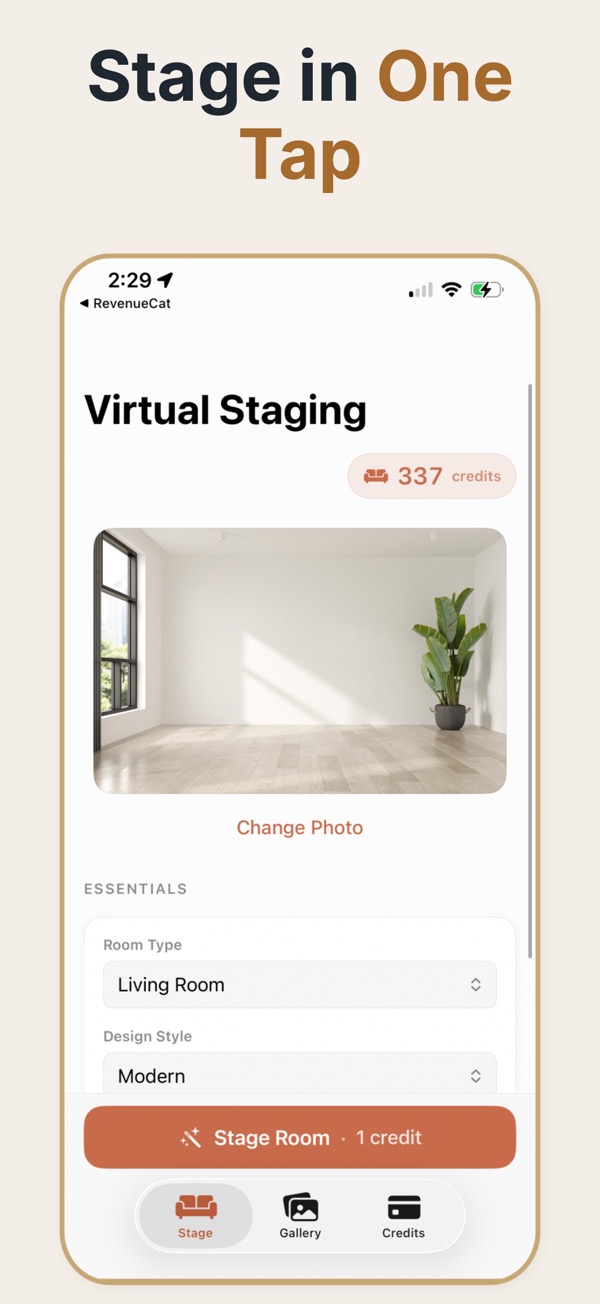
When virtual staging helps
Use virtual staging when a vacant room is hard to read in a listing photo. Add a plausible furnishing direction, preserve the room’s proportions, and give buyers a clearer starting point without moving physical furniture.
A practical virtual staging workflow
Upload a real room photo, choose a room type and design direction, adjust furniture density and lighting, then compare the result with the original before exporting it for a listing or review.
Useful for property marketing
- Show an empty room as a furnished concept while keeping the original photo available.
- Compare styles and room treatments before deciding what belongs in the listing presentation.
- Save before-and-after exports for sellers, buyers, teammates, or marketing files.
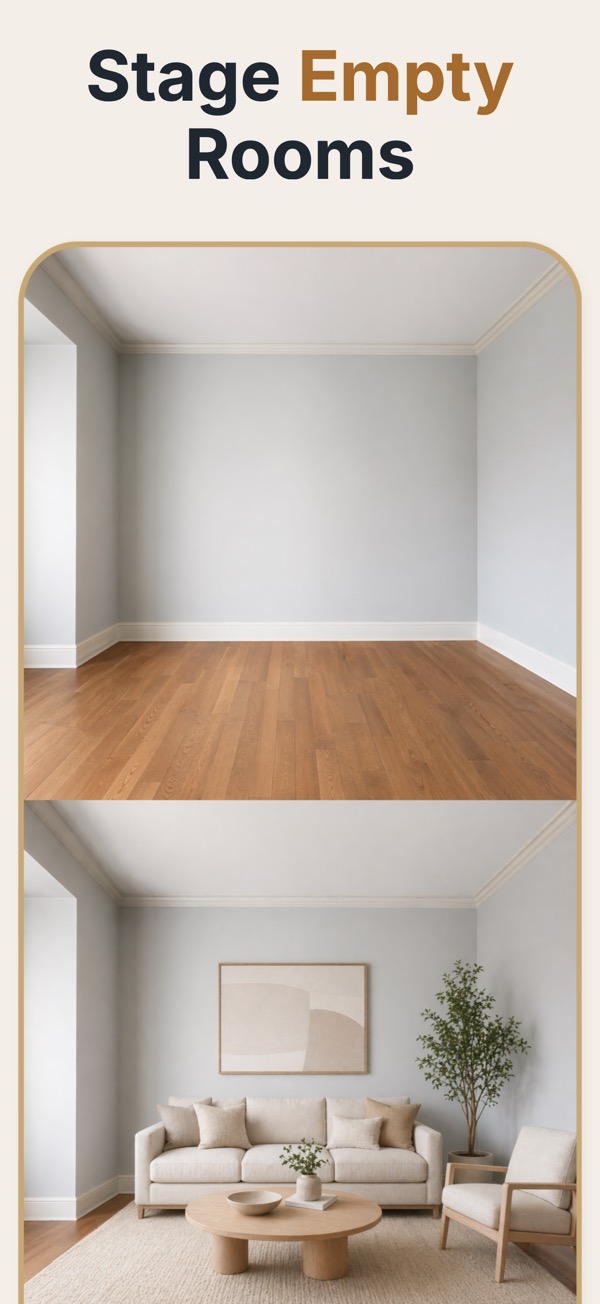
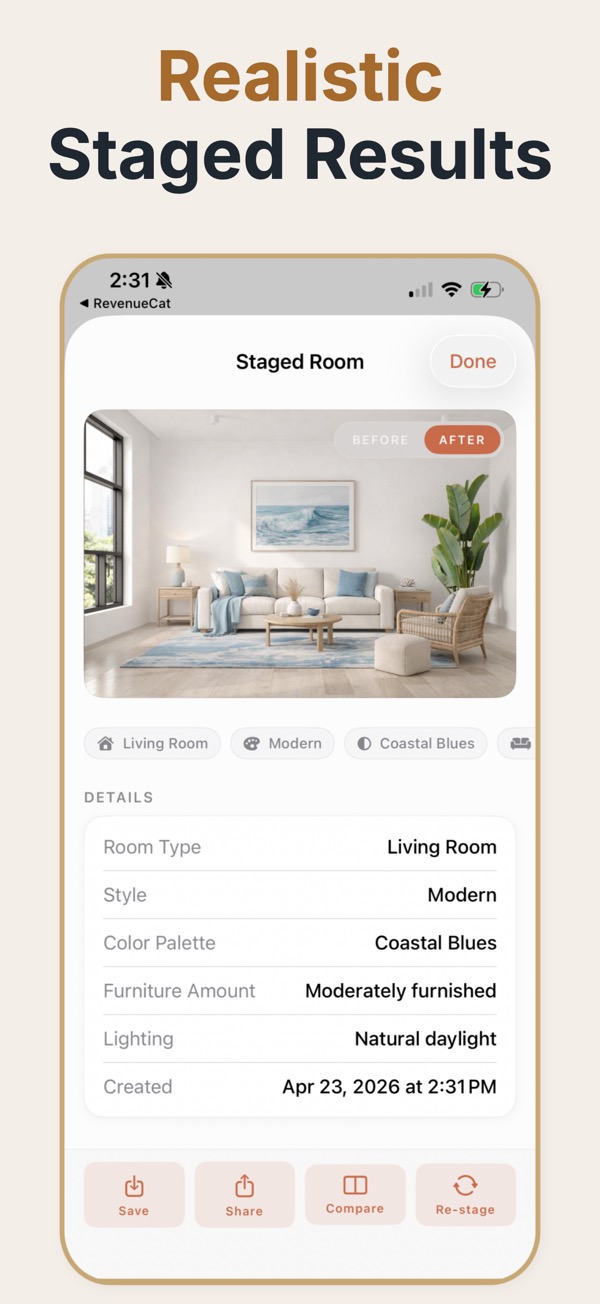
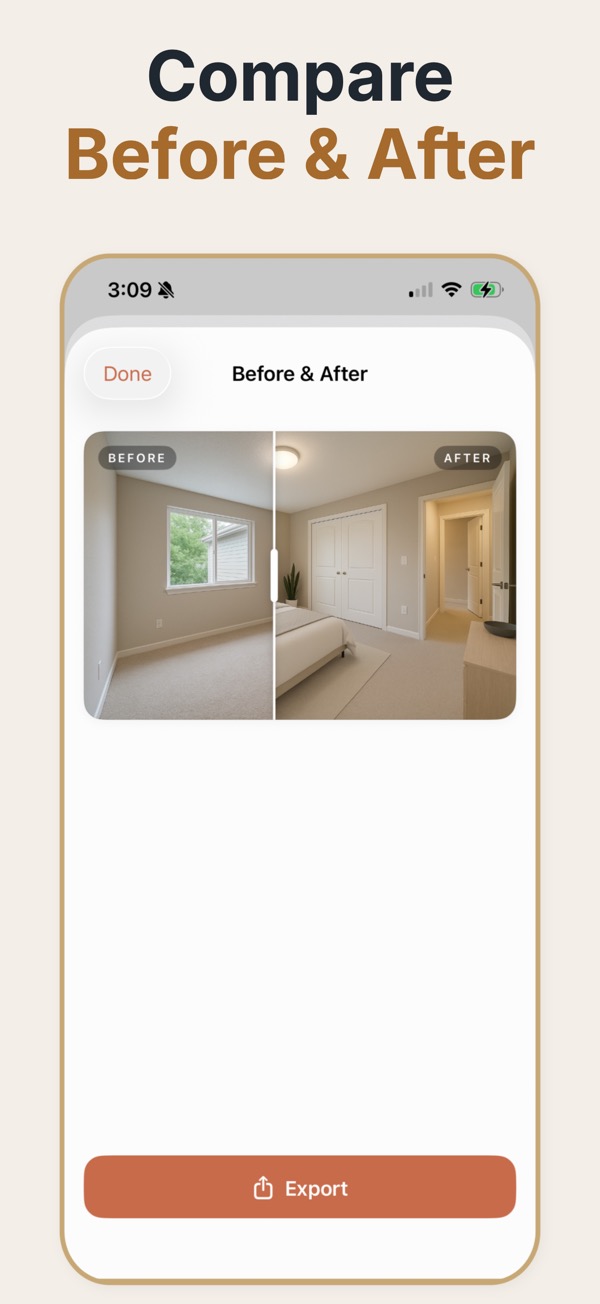
Virtual staging replaces the furniture, not the room. A photographer shoots the space as it actually is, and the staging step adds beds, sofas, rugs, and lighting on top of that image so a buyer scrolling a listing can read the scale and purpose of an empty room in about a second.
What virtual staging actually changes
The useful mental model is that virtual staging is a marketing overlay, not a renovation preview. Walls, windows, door openings, flooring, ceiling height, and the camera perspective all stay exactly where the photographer left them. What changes is the soft content of the room: furniture, textiles, art, plants, and the warmth of the lighting. That boundary matters more than it sounds. Buyers forgive a sofa they will never own, but they do not forgive a photo that made a bedroom look wider than it is. Keeping the architecture untouched is what separates staging that builds trust from staging that generates complaints at the first showing.
A quick quality pass before you publish
- Every window and door in the staged image sits exactly where it sits in the original photo.
- Furniture scale reads correctly against a known reference — a standard door is about 80 cm wide, a queen bed about 152 cm.
- Shadows under furniture fall in the same direction as the daylight already in the room.
- Flooring continues underneath and around furniture instead of stopping at a hard edge.
- The unstaged original is saved alongside the staged version so both can be published together.
When it earns its place
A vacant resale that has been sitting
Empty rooms photograph cold and read smaller than they measure. Staging the two main living spaces is usually enough to change the click-through rate on a listing that has gone stale.
A probate or estate sale
The property is empty, the timeline is tight, and nobody wants to pay to move furniture in. Digital staging gets marketing photos without touching the house.
A room with an ambiguous purpose
A small square room off the hallway could be a nursery, an office, or a guest room. Staging it once for each use answers the question buyers are silently asking.
Where virtual staging goes wrong
- Overfilling a small room. Three pieces that fit beat six that make the space read as cramped.
- Mixing styles across rooms in one property, so the home feels like four different apartments.
- Staging over a defect. If a wall is damaged, the photo needs to show the damage.
- Publishing only the staged shot with no unstaged counterpart, which is where most disclosure complaints start.
Terms worth being precise about
- Virtual staging
- Furniture and decor added digitally to a photograph of a real room. The room itself is unchanged.
- Digital decluttering
- Removing existing objects from a photo. A separate operation from staging, and usually harder.
- Unstaged original
- The untouched source photo. Publishing it next to the staged version is what keeps the listing honest.
- Furniture density
- How full the room is styled. Lower density reads as spacious; higher density reads as functional.
- Room type
- The intended use the staging communicates — bedroom, office, dining. It decides which furniture is plausible.
Common questions
What is virtual staging?
Virtual staging digitally adds furniture and decor to a property photo. It is a marketing visualization, not a replacement for the original room image.
Can virtual staging change the room layout?
The best result keeps the room’s structure, windows, doors, and perspective recognizable while adding a suitable furnishing direction.
Who uses virtual staging?
Agents, sellers, landlords, and property marketers use it to make vacant or lightly furnished rooms easier to understand in listings.
Does virtual staging work on a photo of a furnished room?
It works best on empty or nearly empty rooms. If the room already has furniture, that furniture has to be removed first, which is a separate and harder editing step than adding furniture to a bare space.
How many rooms should be staged for one listing?
Most listings get the majority of the benefit from two or three: the main living space, the primary bedroom, and whichever room has an unclear purpose. Staging every room adds cost without adding much clarity.
Does a staged photo need to look photorealistic?
It needs to look plausible rather than perfect. A clean, slightly restrained result reads as honest; an overproduced magazine shot invites suspicion and sets up disappointment at the viewing.
Can the same room be staged more than one way?
Yes, and it is often the strongest use. Showing one room as an office and as a nursery answers two buyer questions from a single photo without implying the room is larger than it is.