
Virtual Staging Disclosure Rules
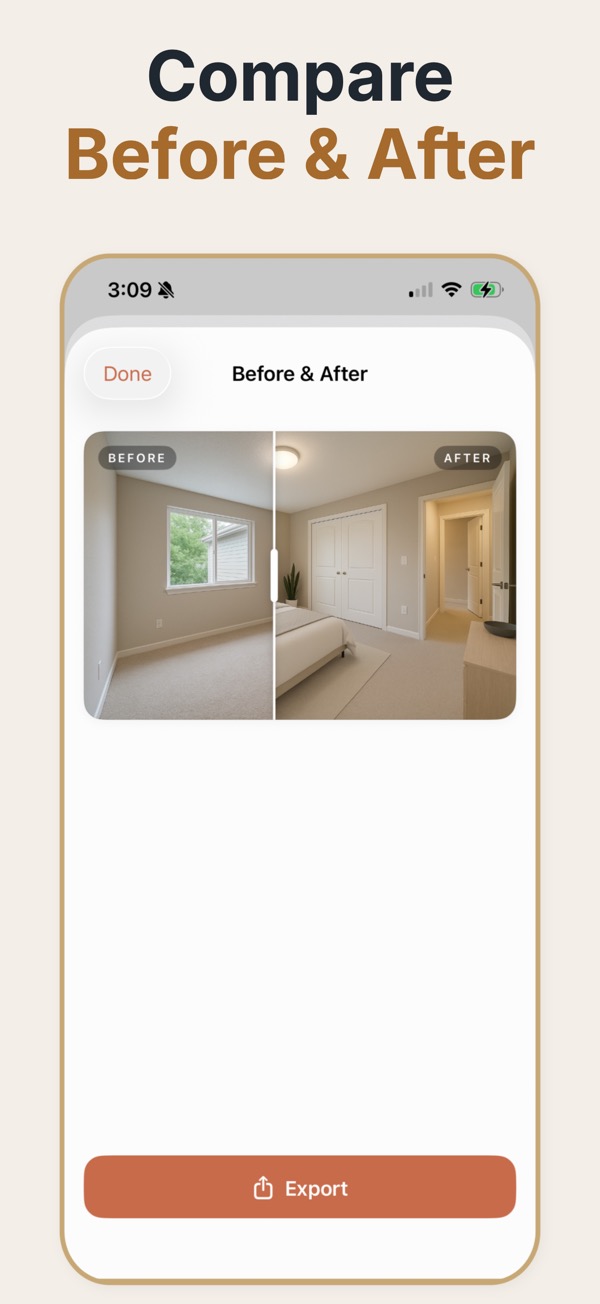
Virtual staging is accepted practice almost everywhere. Undisclosed virtual staging is not. The rules differ by market and by portal, but the underlying principle is consistent: a buyer must be able to tell which images show furniture that does not exist.

The principle behind the rules
Regulations vary in wording, but they converge on one distinction. Adding furniture to an empty room is a marketing visualisation — the property is unchanged and the buyer can see the real room in the gallery and at the viewing. Editing the property itself is a different act: removing damage, erasing a radiator, altering what is visible through a window, or changing a boundary all change what the buyer believes they are purchasing. The first requires a label. The second is a misrepresentation regardless of how it is labelled. Most disputes arise not because someone staged a room but because the staged image was the only image published, so the buyer had no way to know. Publishing the unstaged original alongside the staged one resolves the majority of the risk before it exists.
Disclosing staged images properly
- Publish the unstaged original of every room you staged, in the same gallery.
- Caption staged images clearly — 'virtually staged' is understood everywhere.
- Check your specific portal's required wording and placement; several mandate exact phrasing.
- Tell the seller in writing which images are staged, and keep the record.
- Never edit defects, fixtures, boundaries, or views, whatever the caption says.
Where disclosure matters most
A vacant listing staged throughout
Publish paired staged and unstaged images for every room. This is the cleanest arrangement and the easiest to defend.
A single staged lead image
The lead photo does the marketing work; the gallery immediately shows the same room unstaged.
A relaunch with new images
Re-check that disclosure captions survived the re-upload; they are frequently lost when a listing is republished.
What actually causes complaints
- Publishing only the staged image, so the buyer discovers the room is empty at the viewing.
- Burying the disclosure in small print rather than on the image caption itself.
- Removing a radiator, boiler, or built-in unit that constrains how the room can be used.
- Editing the view from a window, which misrepresents the location rather than the room.
Where the line sits
- Adding furniture and decor
- Acceptable everywhere. Disclose it.
- Removing a seller's clutter
- Generally acceptable. Disclose it anyway; it costs nothing.
- Removing fixtures or appliances
- Not acceptable. It changes what the buyer believes is included.
- Editing damage, damp, or wear
- Not acceptable in any market. This is misrepresentation.
- Altering views or boundaries
- Not acceptable. It misrepresents the location, not the interior.
What a staged room looks like
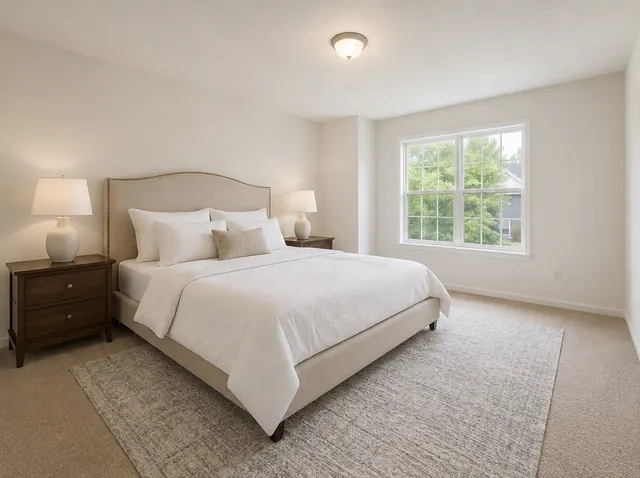
Each pair shows the empty room and the staged version. Walls, windows, doors and flooring stay where they were; the app adds furniture, rugs, art, plants and lighting.
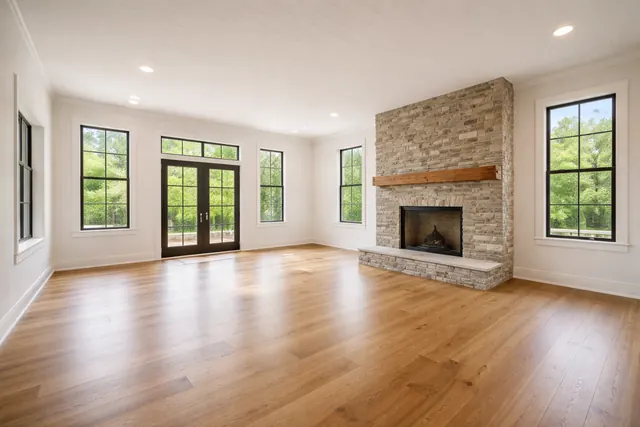 Before
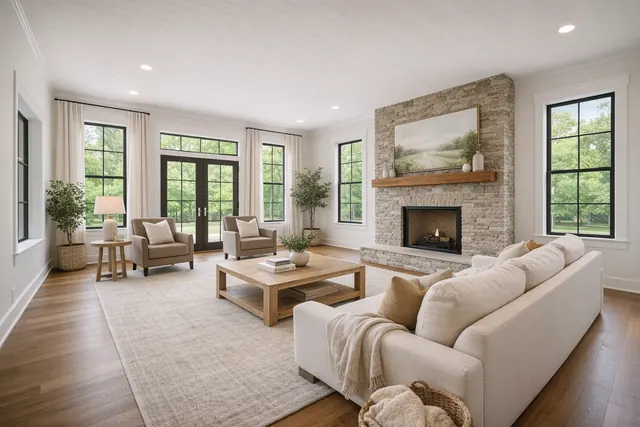 After
After
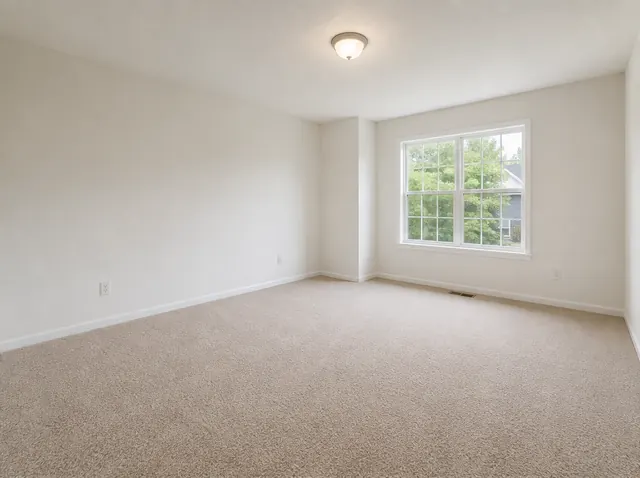 Before
 After
After
Common questions
Do I legally have to disclose virtual staging?
Requirements vary by jurisdiction and portal, and this is not legal advice — check your local rules. In practice, disclosing is the safe default everywhere, and the cost of doing it is zero.
What wording should I use?
'Virtually staged' or 'this image has been virtually staged' is widely understood. Some portals and associations mandate specific phrasing, so confirm before publishing.
Do I need to publish the unstaged photo as well?
It is not universally required, but it is the single most effective thing you can do. Most complaints come from buyers who had no way of knowing, and a paired image removes that entirely.
Can I virtually stage a property that is currently occupied?
Yes, but the decluttering involved needs the same disclosure, and you must not remove anything fixed or anything that forms part of the sale.