
Virtual Staging for Real Estate
Virtual Staging for Real Estate is usually a search for real estate staging that supports positioning, reviews, and listing launches. Virtual Staging AI Real Estate keeps that process mobile and repeatable with room presets, style controls, and before-and-after exports.

Scan to download
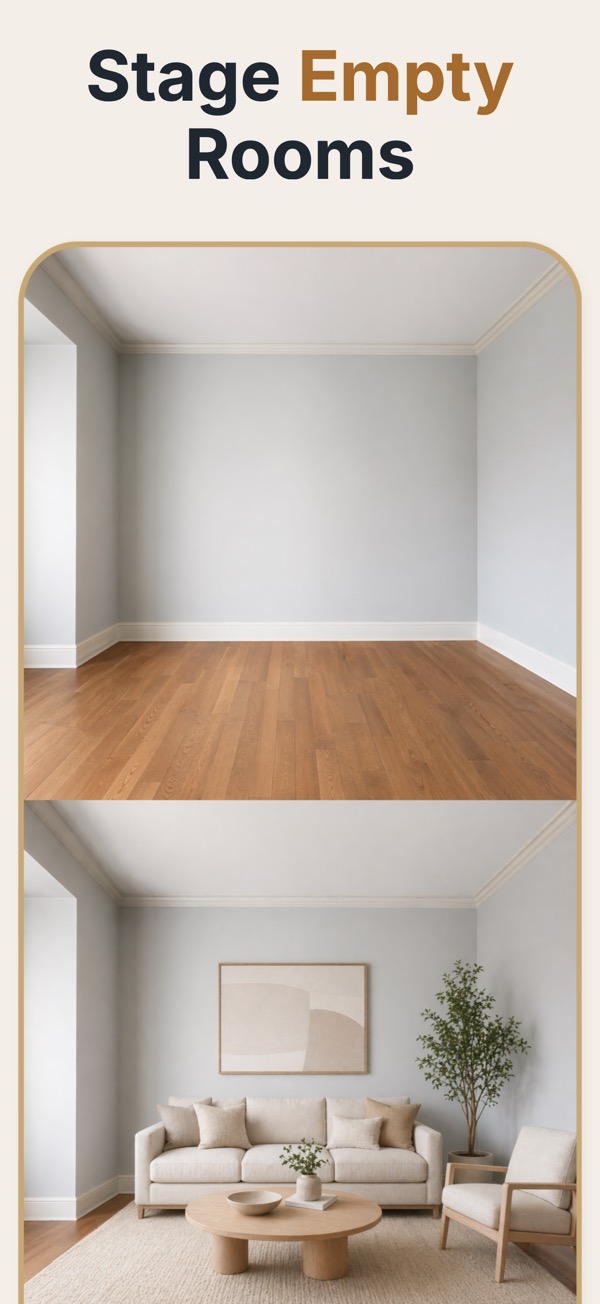
Virtual staging for real-estate marketing
Real-estate teams use virtual staging to give vacant rooms more context in listing photos, seller reviews, and presentations without scheduling furniture delivery or pickup.
Prepare listing visuals room by room
Start from the actual property photo, select a furnishing direction that suits the room, review the result with the listing context in mind, and export the approved visual.
Support the listing process
- Create a consistent visual direction for rooms that are photographed empty.
- Use before-and-after views to explain the marketing concept to sellers and teammates.
- Keep staged concepts separate from factual images of the property’s current condition.
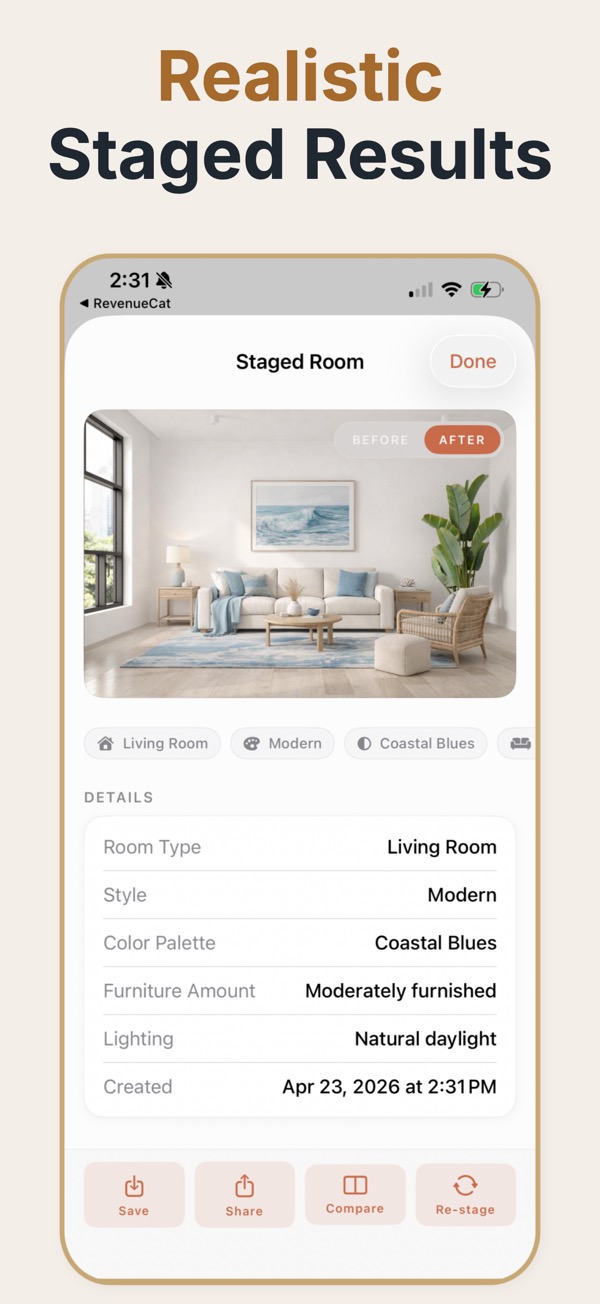
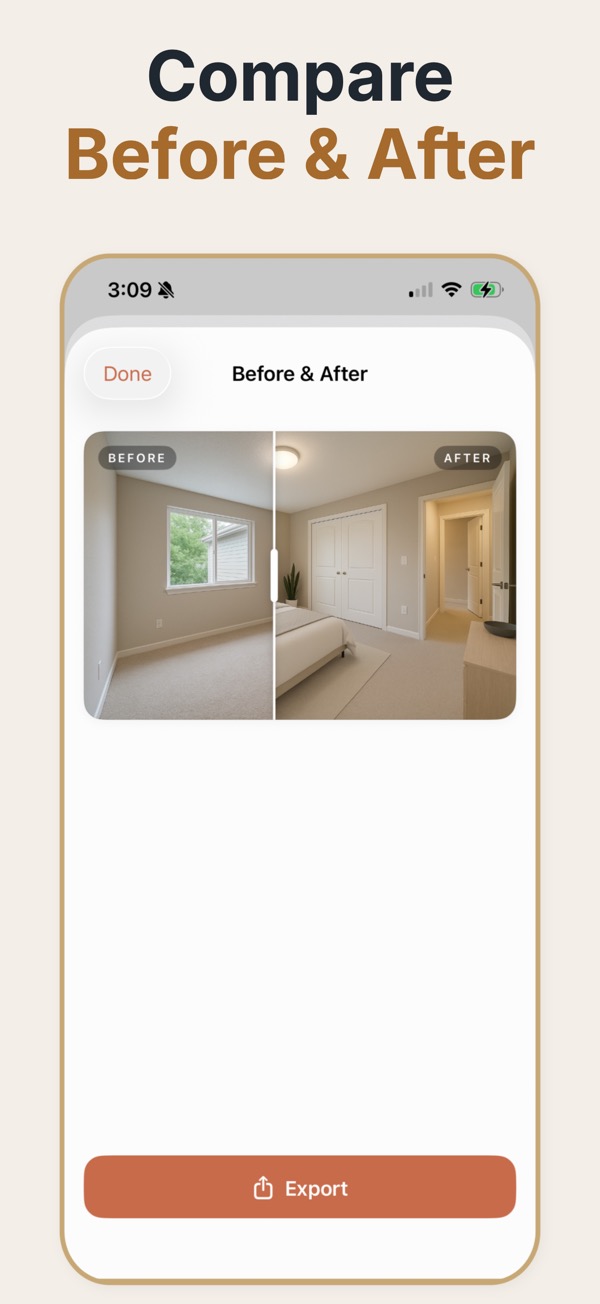
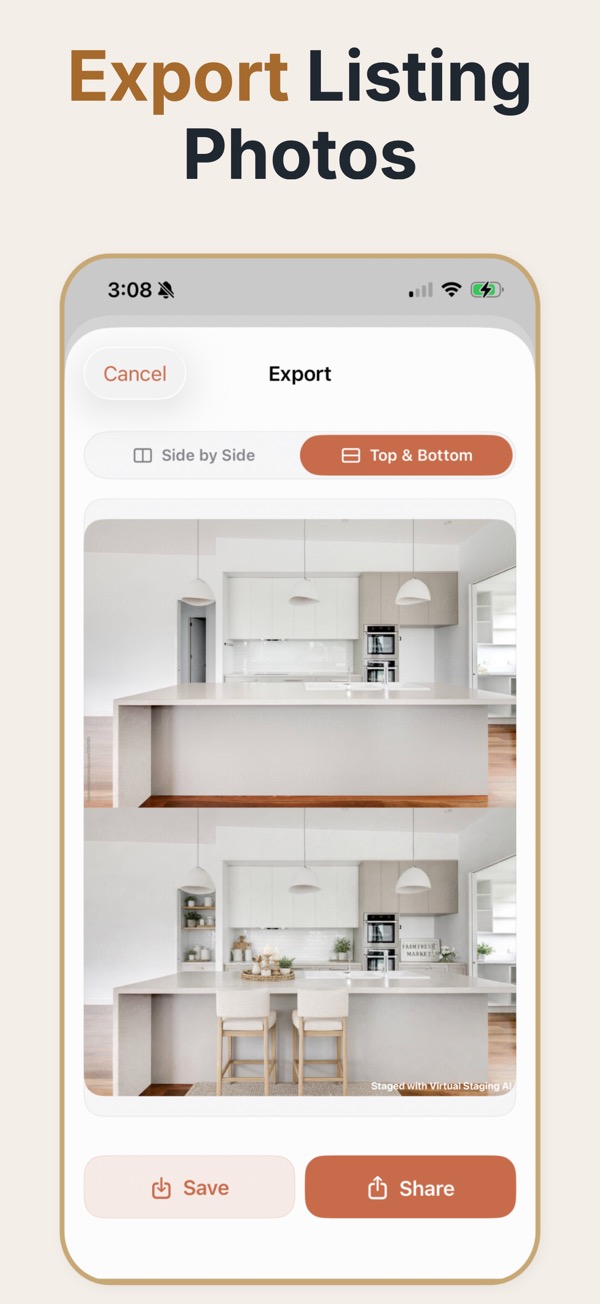
In a listing workflow, staged images are not decoration — they are the first filter. Most buyers decide whether to click a listing from a single lead photo, and an empty room is a weak lead photo almost regardless of how good the property is.
Where staged images fit in the listing process
The sequence that works is: photograph the property empty and honestly, stage the two or three rooms that carry the listing, publish both the staged and unstaged versions, and keep the staged assets available for the brochure, the portal listing, and the seller update. Staging is most valuable at the top of the funnel, where it competes for attention in a grid of thumbnails, and least valuable at the viewing, where the buyer is standing in the actual room. Teams that understand that split stage aggressively for the lead image and conservatively everywhere else. It also means the staged image has one job — get the click — and does not need to survive scrutiny it was never going to face.
Preparing a listing set
- Choose one lead image and stage it to the highest standard; it does most of the work.
- Use one consistent style across every staged room in the property.
- Publish the unstaged original of every room you staged, in the same gallery.
- Label staged images in the caption using whatever wording your market or portal requires.
- Keep the staged files named by property and room so they can be found when the brochure is built.
Listing situations where it moves the number
A vacant property competing with furnished ones
In a portal grid, an empty living room next to nine furnished ones loses the click before the price is even read.
New-build units marketed off-plan or pre-handover
Units come online before furniture does; staging lets marketing start on the real interior rather than a generic render.
A price reduction relaunch
Relaunching with the same cold photos signals nothing has changed. Fresh staged images give the relaunch something to actually show.
Listing mistakes that cost trust
- Staging a room and then not publishing the empty version, which reliably produces complaints at the viewing.
- Using a different style in each room so the property has no coherent identity.
- Staging rooms that are already furnished, which confuses buyers about what is included in the sale.
- Letting staged images imply storage, built-ins, or fixtures that the property does not have.
Assets a listing usually needs
- Lead image
- The single staged photo that competes for the click in a portal grid. Stage this one best.
- Gallery set
- Staged and unstaged versions of each staged room, published together.
- Before-and-after
- A side-by-side or stacked comparison, used for seller updates and pitch material.
- Disclosure caption
- The wording that marks an image as virtually staged, as required by your market or portal.
- Archive copy
- The source photos retained so a relaunch does not require a reshoot.
Common questions
Is virtual staging the same as a property inspection photo?
No. It is a marketing visualization and should not replace accurate documentation of the property’s current condition.
Can agents stage multiple rooms?
Yes. A repeatable room and style workflow helps teams prepare several rooms while reviewing each result against the source photo.
Where can real-estate teams use the exports?
Use them in listing preparation, seller presentations, internal review, and other marketing contexts where staged imagery is appropriate and disclosed.
Should staged photos be the lead image on a listing?
Usually yes, because the lead image is competing for a click in a grid. The unstaged version should still appear in the gallery so a buyer can see the room as it is.
How does staging affect time on market?
It mainly affects the top of the funnel — clicks and enquiries — rather than the closing itself. More people opening the listing is the mechanism, not a higher price.
Do portals allow virtually staged images?
Most do, with a disclosure requirement. Rules vary by market and portal, so confirm the specific wording your listing has to carry before publishing.
Is staging worth it for a low-value listing?
The cost profile of digital staging is flat regardless of property value, so it is often proportionally more useful on cheaper listings, where physical staging could never be justified.